


FIRST Components Academy | What's New in Smart Display GUI Builder v0.8.7_WS
Smart Display GUI Builder v0.8.7_WS: What's New in This Release
An update that streamlines widget configuration, provides quicker access to the editor, and introduces new options for startup brightness and numeric value scaling.
Smart Display GUI Builder v0.8.7_WS introduces four updates to the workflow and several configuration features. The changes include the position of the Add Widget command, automatic editor opening, default brightness settings, and numeric value scaling.
Add Widget at the Top
The Add Widget command is now available at the top of the interface.
Automatic Opening
The editor opens automatically when a new widget is added.
Default Brightness
The default brightness setting is now available for specific UART models.
Scale Exponent
The Number widget supports scale exponent configuration for decimal values.
Add Widget: Command Moved to the Top
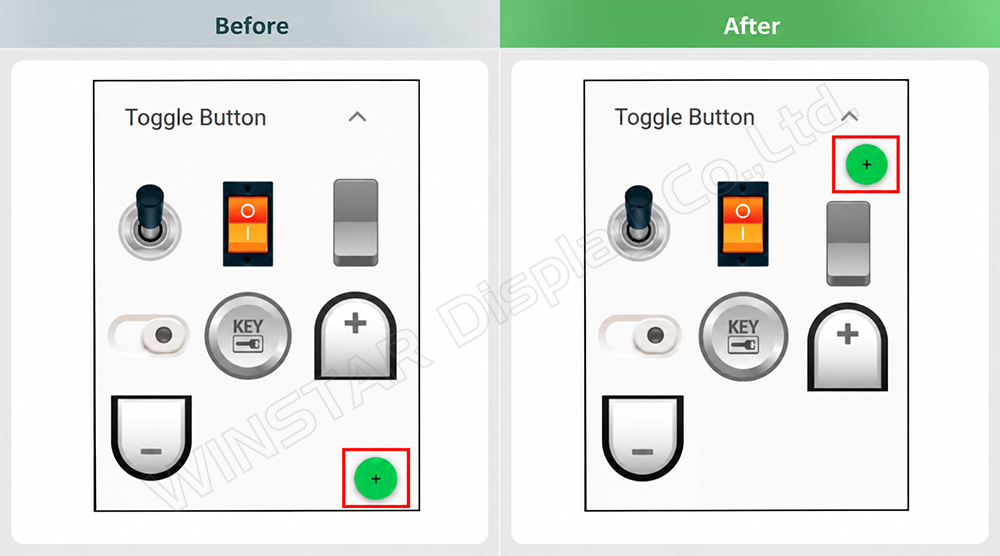
In version v0.8.7_WS, the Add Widget command has been moved from the bottom to the top of the interface. Its new position makes it easier to locate when configuring the GUI.
The Editor Opens Automatically
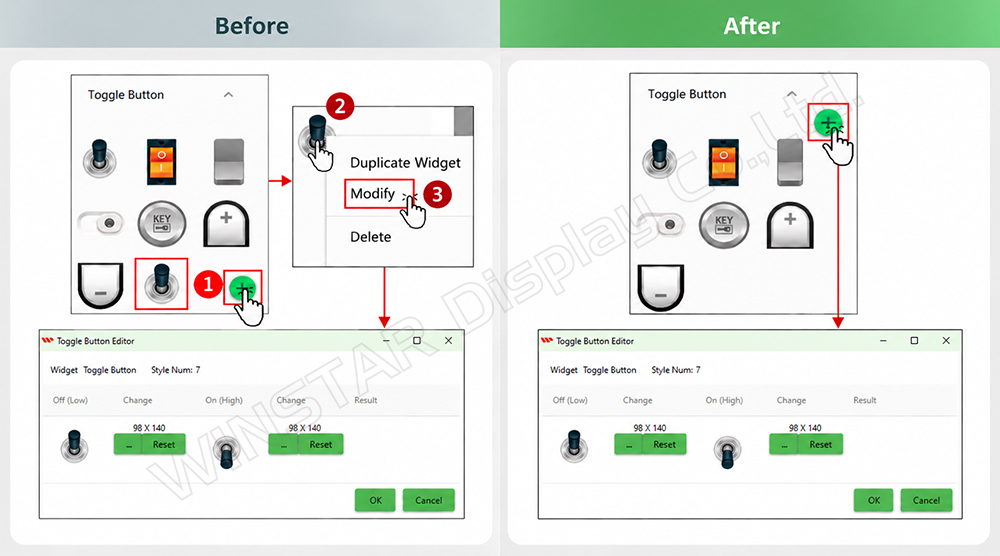
When a new widget is added, its editor opens automatically. In previous versions, accessing the editing options required three actions: adding the widget, right-clicking it, and selecting Modify.
This update reduces the steps needed to access widget settings and streamlines the configuration workflow.
Default Brightness for Selected UART Models
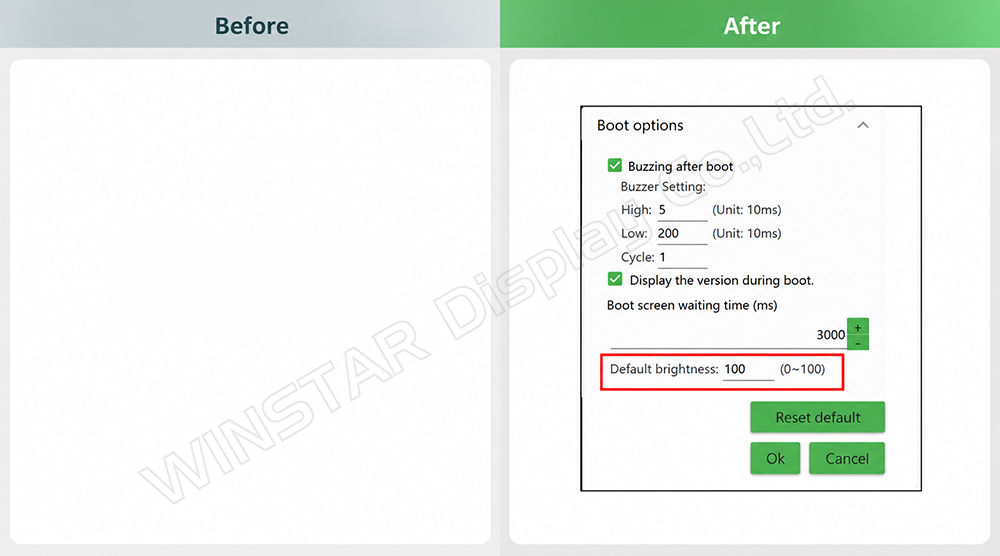
The default brightness setting is now available for selected Smart Displays with a UART interface. Previously, this feature was available only for the Custom CAN ID series.
To access the setting, navigate to Widget > Splash Screen > Modify.
- 4.3-inch UART Smart Displays.
- 7-inch UART Smart Displays with 1024 × 600 resolution, in the 16MB and 32MB series.
Scale Exponent for the Number Widget
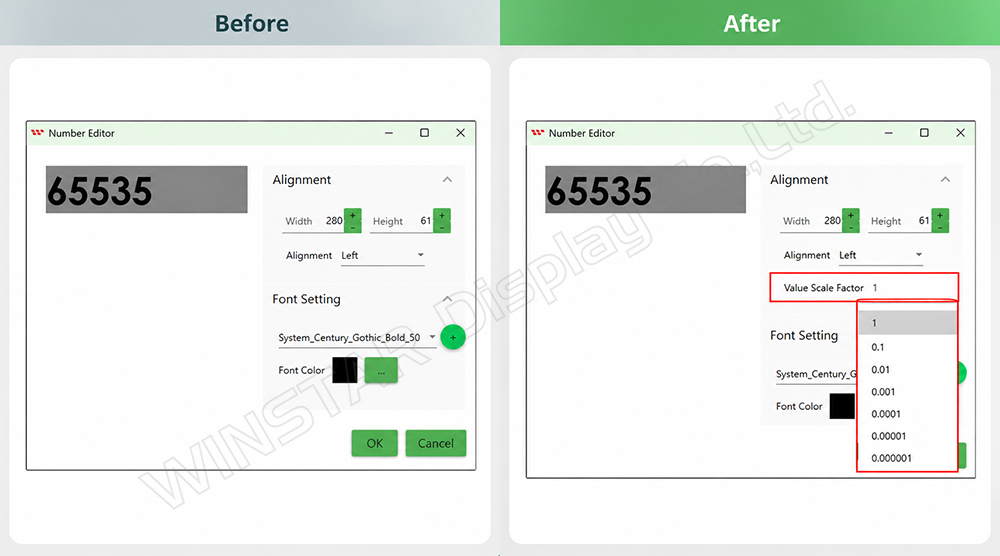
The new version adds Scale Exponent support to the Number widget, allowing users to configure the scaling of decimal values.
This feature is supported on 7-inch UART Smart Displays with 1024 × 600 resolution, belonging to the 16MB and 32MB series.
Key Updates in v0.8.7_WS
| Feature | Update | Compatibility |
|---|---|---|
| Add Widget | Command moved to the top of the interface. | Not specified in the source. |
| Editor | Opens automatically when a widget is added. | Not specified in the source. |
| Default Brightness | Setting now available for selected UART models. | 4.3-inch UART; 7-inch UART, 1024 × 600, 16MB and 32MB series. |
| Scale Exponent | Support for decimal values in the Number widget. | 7-inch UART, 1024 × 600, 16MB and 32MB series. |
Considering a Smart Display for Your Project?
FIRST Components supports OEMs, designers, and system integrators in evaluating Smart Displays, taking into account interfaces, GUI configuration, and application integration requirements.
Contact Our Technical Team


