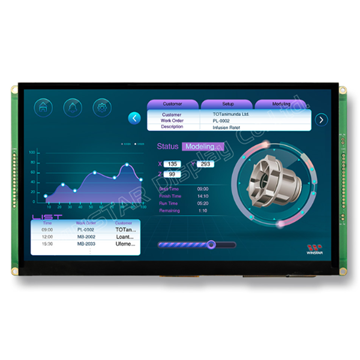
Eval Kit for TFT 10.1" 1024x600, UART interface & GPIO Support, 32MB Flash Memory, 400cd/m², Wide View Angle (IPS), Capacitive touch panel (GG)
DESCRIPTION
The WINSTAR 10.1" UART Smart Display (Model: WL0F00101000JGFAASA01-FC) is designed for engineers and developers, combining advanced display technology with user-friendly development tools, allowing you to easily create various UI widgets.
Whether you are developing embedded systems or designing custom interfaces, the WINSTAR 10.1" UART Smart Display offers reliable support to help you quickly realize your ideas and functionalities.
Product Features:
- Power Supply: +12V power input, the power consumption is around 6W.
- Self-Testing Function: Automatic self-testing after booting.
- Communication Interface: Supports UART communication interface.
- Protocol Support: Compatible with Proprietary UART protocol, default baud rate at 115200 Kbps.
- Flash Memory: Built-in 32MB flash memory for storing font files and object dictionary data.
- Touch Support: Supports capacitive touch panel (CTP).
- Embedded Buzzer: Embedded buzzer controlled by the master device.
- Multi-Platform Compatibility: Demo set HOST can be used on multiple platforms, including computers (with USB to UART dongle), MCUs, and Raspberry Pi (with PiCAN2).
- GPIO Support: GPIO PIN supports.
- Design the UI without writing a line of code by WINSTAR GUI builder! (►Link to GUI Builder Introduction)
- Designed with STMicroelectronics' (ST) controller which supports ST development tools
- Extended memory management, including:
- Up to 255 objects per page (vs. 64 in the 16MB version).
- Up to 1000 total objects (vs. 500 in the 16MB version).
- Support for up to 64 pages (vs. 30 in the 16MB version).
- Dynamic memory allocation for efficient flash storage management.
DRAWING
SPECIFICATIONS
General Specifications
| Item | Standard Value | Unit |
|---|
| Operating voltage |
8V~28V dynamic |
Vdc |
| Communication Interface |
UART |
-- |
| MCU |
STM32F746 |
N/A |
| Flash Memory |
32 |
MB |
| LCD display size |
10.1 |
inch |
| Dot Matrix |
1024 x RGB x 600(TFT) |
dot |
| Module dimension |
248.8(W) x 143(H) x 23.2(D) |
mm |
| Active area |
222.72 (H) x 125.28(V) |
mm |
| Pixel pitch |
0.2175(W) x 0.2088(H) |
mm |
| Brightness |
Min:300; Typ:400 |
cd/m2 |
| LCD type |
LED, Normally White |
| View Direction |
85/85/85/85 (IPS) |
| Aspect Ratio |
16:9 |
| Touch Panel |
Capacitive Touch Panel |
| Surface |
Glare |
Absolute Maximum Ratings
| Item |
Symbol |
Min |
Typ |
Max |
Unit |
| Operating Temperature |
TOP |
-20 |
- |
+70 |
℃ |
| Storage Temperature |
TST |
-30 |
- |
+80 |
℃ |
Electrical Characteristics
| Item | Symbol | Condition | Min | Typ | Max | Unit |
|---|
| Supply Voltage |
VCC |
- |
8 |
12 |
28 |
V |
| Supply LCM current |
I(mA) |
- |
- |
530 |
- |
mA |
BOM
| Item | Description |
|---|
| LCM |
WF101-1024600JL#0P8-FC |
| PCBA |
SV10010R100JB00N0109 |
Interface Pin Function
CON1 definition:
| Pin | Symbol | Function | Remark |
|---|
| 1 |
+12V |
Power supply12V input |
Input |
| 2 |
GND |
Power supply GND input |
Input |
| 3 |
Reserve |
- |
- |
| 4 |
Reserve |
- |
- |
| 5 |
GND |
Power supply GND input |
GND |
| 6 |
GND |
Power supply GND input |
GND |
| 7 |
Reserve |
- |
- |
| 8 |
Reserve |
- |
- |
| 9 |
NC |
- |
- |
| 10 |
UART_RX |
USART RX interface |
I/O |
| 11 |
UART_TX |
USART TX interface |
I/O |
| 12 |
GND |
Power supply GND input |
GND |
| 13 |
+12V |
Power supply12V input |
Input |
| 14 |
NC |
- |
- |
| 15 |
NC |
- |
- |
| 16 |
GND |
Power supply GND input |
Input |
CON2 definition:
| Pin | Symbol | Function | Remark |
|---|
| 1 |
+3V3 |
3.3V power for JTAG interface |
Output |
| 2 |
SWCLK |
CLK pin for JTAG interface |
Input |
| 3 |
GND |
GND for JTAG interface |
Output |
| 4 |
SWDIO |
Data pin for JTAG interface |
I/O |
| 5 |
NRST |
Reset pin for JTAG interface |
Input |
| 6 |
GND |
GND |
Output |
| 7 |
IO_8 |
(PA0) for system Resume
from suspend (Reserve) |
WKup,ADC,Timer,Event,I/O |
| 8 |
REST |
Reset (active Low) |
I |
| 9 |
IO_0 |
ADC,DAC,Timer,Event,I/O |
PA5 |
| 10 |
IO_1 |
ADC,Timer,Event,I/O |
PA6 |
| 11 |
IO_2 |
ADC,Timer,Event,I/O |
PA7 |
| 12 |
IO_3 |
RST,Timer,Event,I/O |
PA8 |
| 13 |
IO_4 |
RST,Timer,Event,I/O |
PC13 |
| 14 |
IO_5 |
ADC,Timer,Event,I/O |
PB11 |
| 15 |
IO_6 |
RST,Timer,Event,I/O |
PA15 |
| 16 |
IO_7 |
RST,ADC,Event,I/O |
PD11 |
Display Usage
Functional description
Smart Display can be used to display the coordinate, status and data information provided by the connected HOST device. Customers can configure the position coordinates they want to display in normal operation mode
The Display is designed to be easily connected to a controller network, and to use the register type of Holding Register.
Splash Screen
The default splash image is shown below.
This product is produced as a generic product. If you require a custom splash image for your application, contact us to discuss
Default Selection
Press the preferred application and hold for 3 seconds for the first time power on.
Acquisition of Displayed Data
Smart Display uses the Modbus protocol to get and send the data.
On Config mode, customers can set the coordinates or type of objects; On Display mode, customers can send and get data of objects.
Configuring the Display
Winstar Smart Display RS-485 series offers an out-of-the-box Modbus development experience that will lower customers' development costs and speed time-to-market expectations.
The Smart Display can use wide-temperature are designed to support control applications in harsh operating conditions, which designed to be connected to a variety of different situation combinations, such as automotive, marine, power generation and oil-and-gas.
The Smart Display comes with standard UI objects to get customers project off the ground quickly. If customers need custom UI objects support, our engineers are here to help. Send over your contents in PNG/JPG format, we will send over a new set of UI objects within 3~5 working days.
The Smart Display is defined as a slave device, which is controlled by master device via RS-485 command to render display content on the display screen and return touch event data with protocol objects.
Example Screen Layout (Industry application)
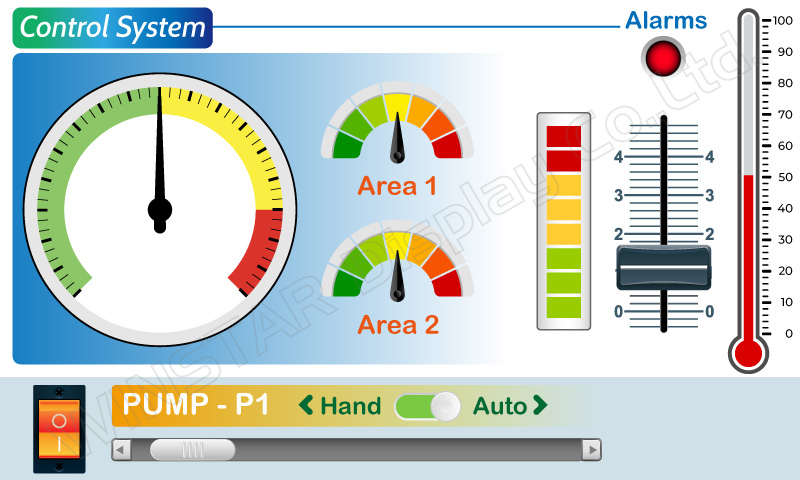
Example Layout
The screen layout described in this section is intended to demonstrate the settings of screen items that can be used in an industry application situation.
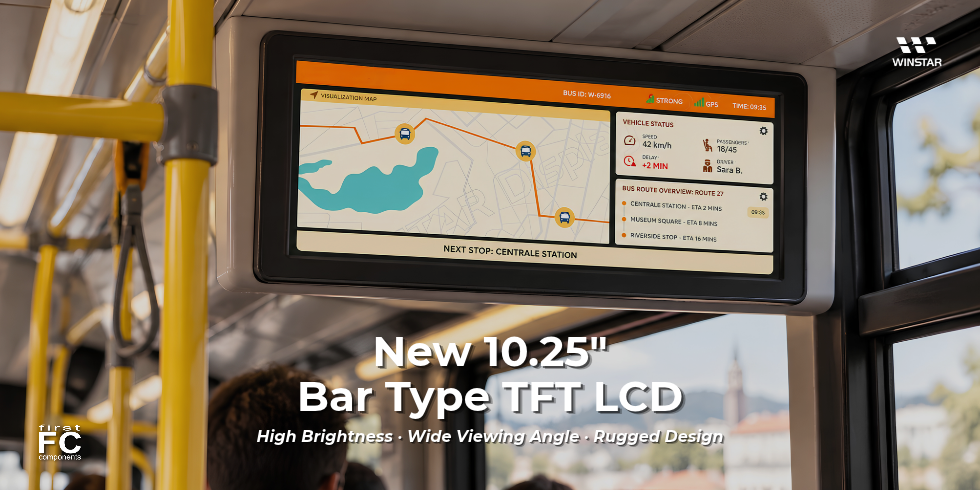
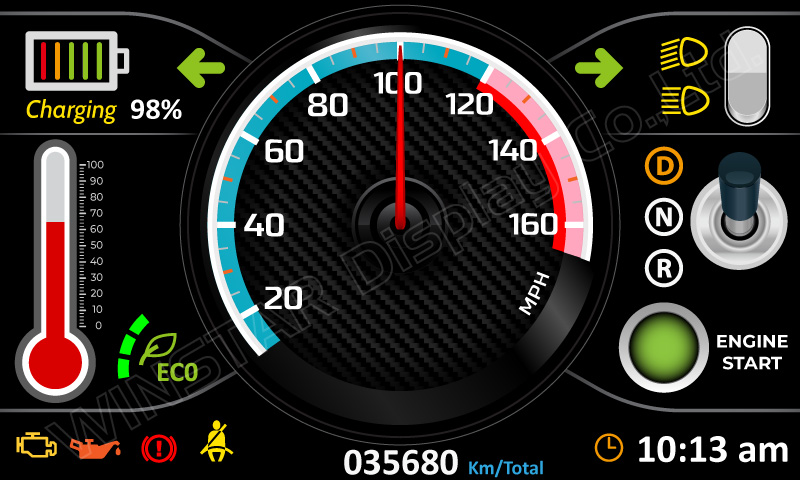
Example Layout (Vehicle automotive)
The screen layout described in this section is intended to demonstrate the settings of screen items that can be used in a vehicle automotive situation.
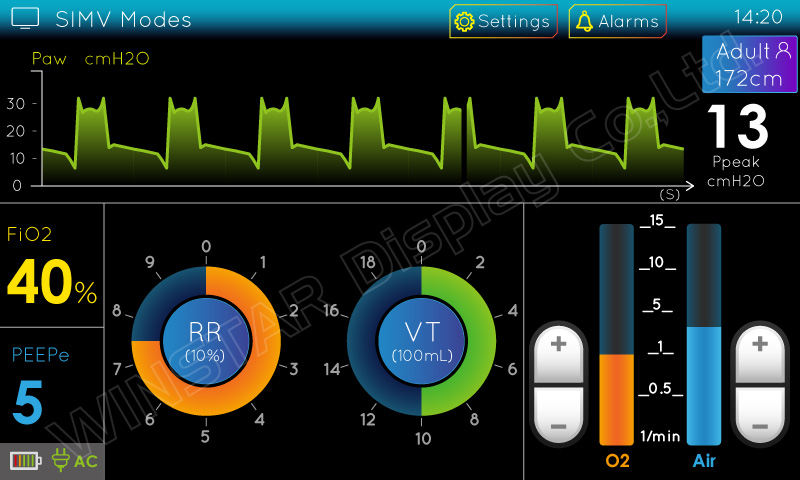
Example Layout (Medical application)
The screen layout described in this section is intended to demonstrate the settings of screen items that can be used in a Medical application situation.